Archive

Archive for the ‘Project’ Category

Spam!

July 19th, 2009

Lately the site has been experiencing some server errors (aka 500 errors). although my host seems to think it is because I use too much memory and I should buy a better hosting plan, I am sure it is caused by spam.

My post on the Xbox Media Center has been getting thousands of hits of “people” trying to posts comments. In order to stop this, I disabled the comment feature in this article and I changed its address. Eversince, the site has been doing fine without any errors.

And now, for something completely different:

Project

Gentle Safe Cracker

July 17th, 2009

The problem:

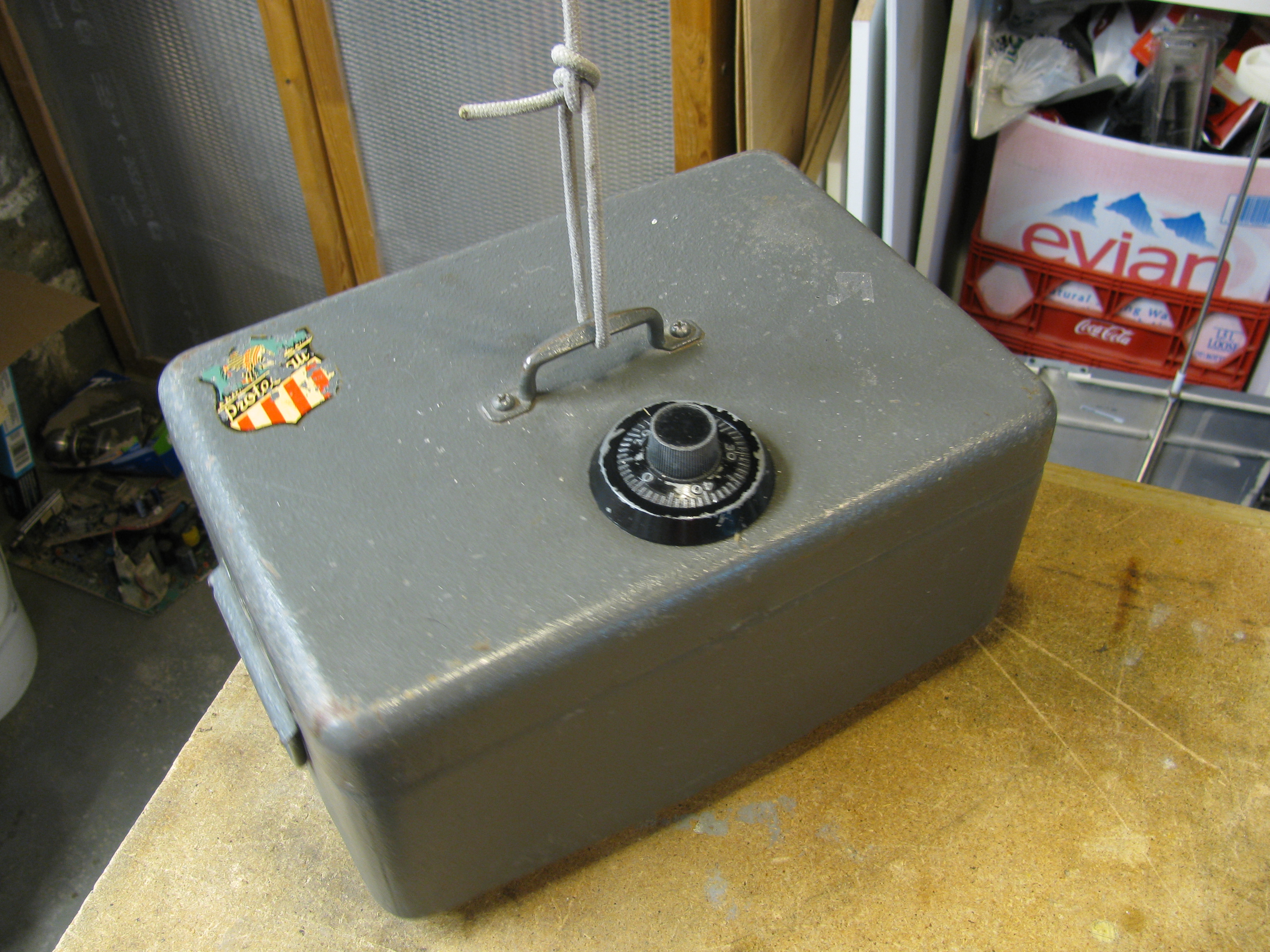
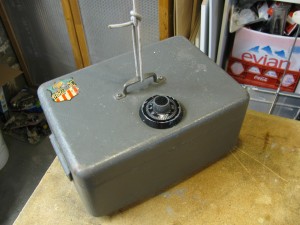
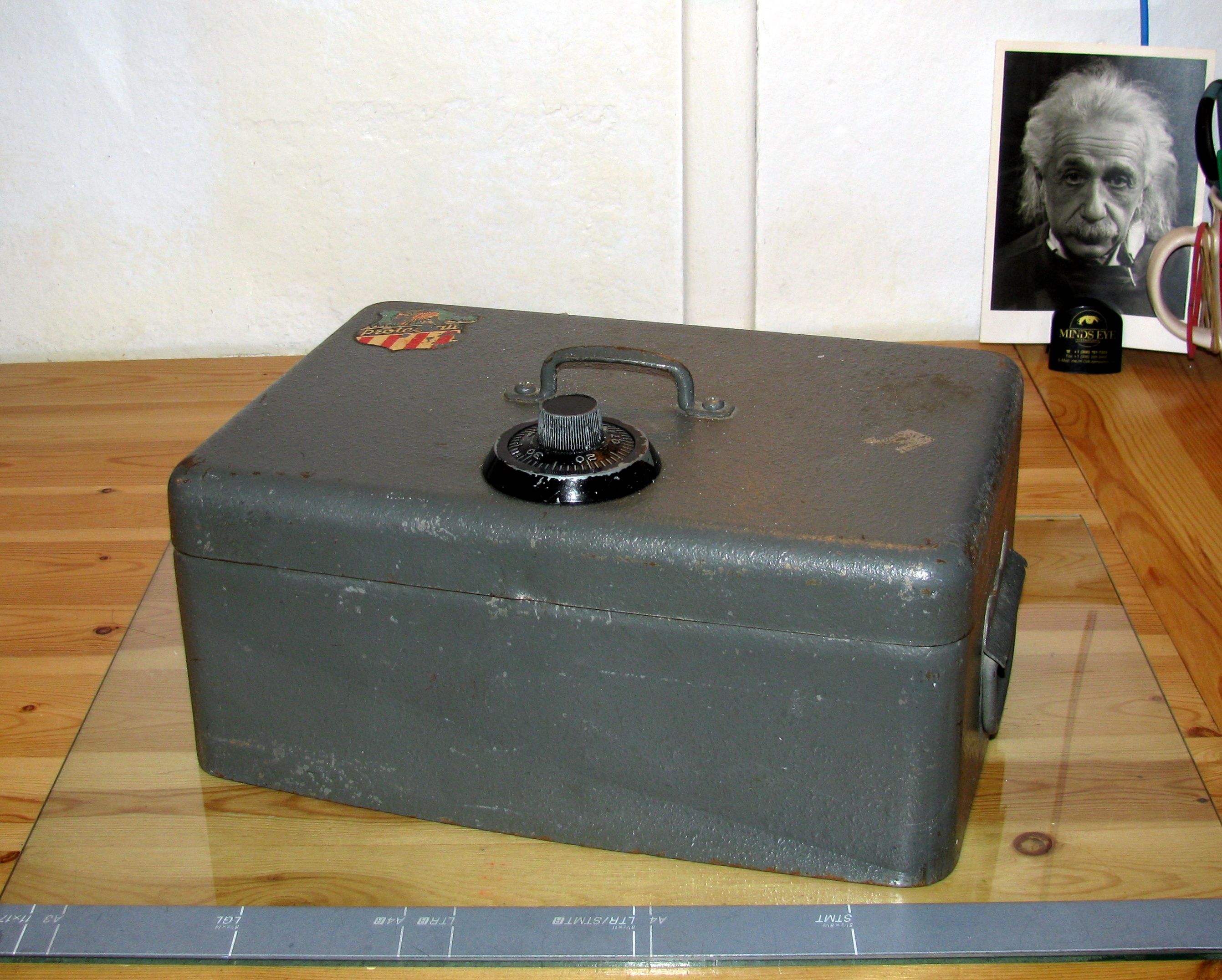
Misterious Safe Box

Mysterious Safe Box

I found a little safe box in the garbage some time ago and I would really like to open it. The box features some dents and scratches that show some people tried to open it in the past but did not succeed. Also, when shaken, it produces some interesting noises that indicate it is not empty and may contain a valuable treasure some cool junk.

The Plan:

Of course, there are many ways of achieving this (e.g. cutting holes into its walls, removing the hinges, hiring a locksmith) but I do not want to break the safe, nor do I want to hire anyone to do it in my place. Inspired by so many movies, the first thing I tried was to listen to the (nonexistent) clicking of the dial as it turns: it did not work at all.

Very quickly, I decided that the appropriate way of doing it (given my set of skills) was to have a machine do it in my place. So, I decided to build a little manipulator that will test all possible combinations of the safe until it opens up.

Since this requires precise positioning, I thought a servo motor would be the best choice of actuator (and also because I have some other project ideas involving servos).

The Materials:

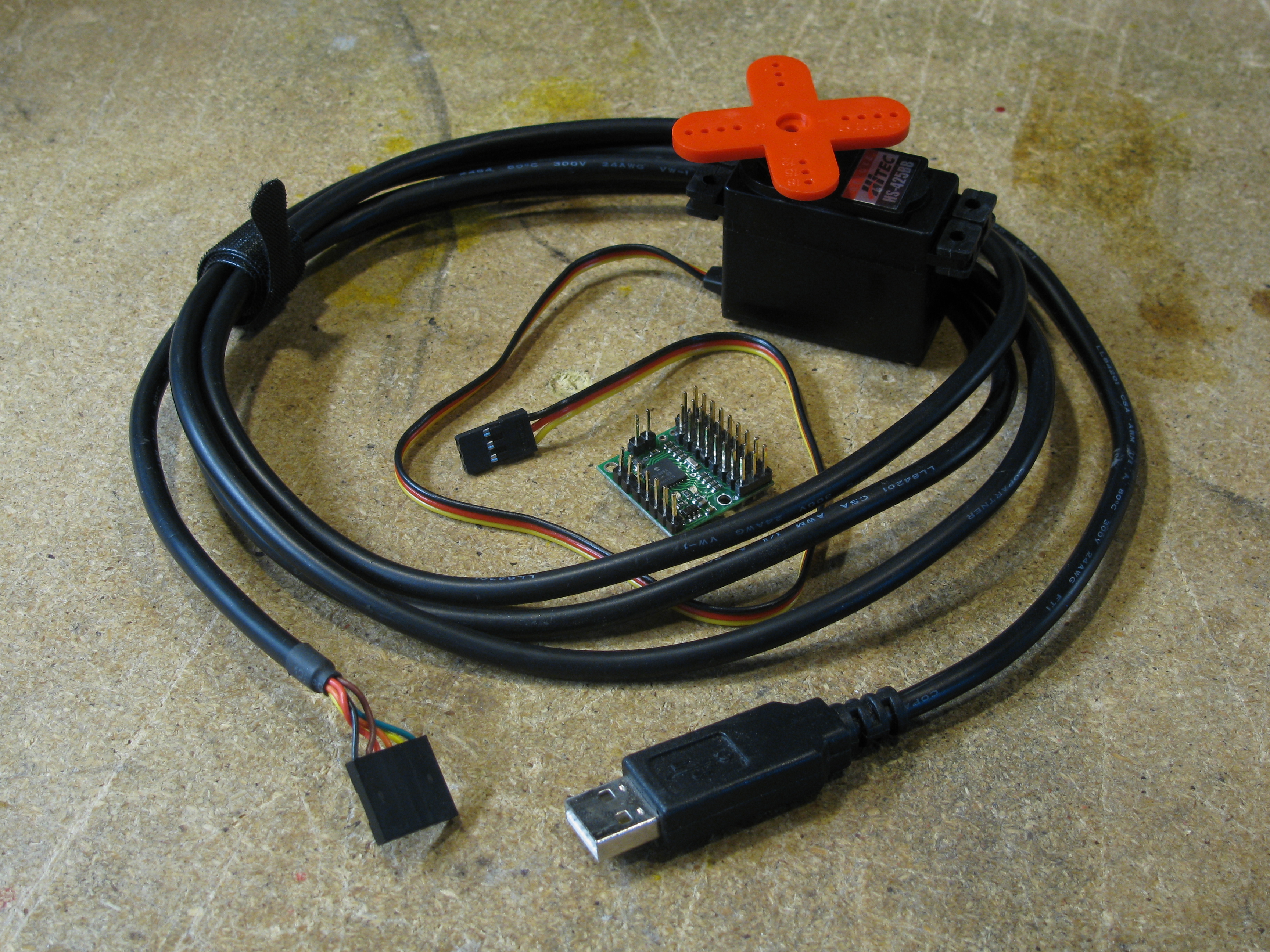
  • Pololu Micro Serial Servo Controller
  • Hitec HS-425BB Servo Motor
  • Male and female headers
  • Power adaptor (4 to 6 VDC)
  • Wire
  • Heat shrink tubing
  • USB to Serial cable
  • 2 gears and a spindle (one four times larger than the other, I got mine from an old photocopier)
  • A project box (in my case, an old computer power supply case)
  • A bottle cap and an old heat sink
  • Steel wire (e.g. form an old coat hanger)
  • Magnets (the stronger the better)
  • Various screws

Essential Tools

  • Screwdrivers
  • Rotary tool (Dremel)
  • File

The How and the Why:

The Electronics

Electronic Parts

I chose the Pololu servo controller since it is easy to interface by either using a computer or a simple microcontroller. Also, I already own a USB-to-serial cable (that I normally use to program the Arduino) that I can use to send commands to the controller.

The choice of the servo motor was based in getting the maximum torque at a reasonable price.

In order to control the servo motor, I devised a simple python module as seen in my previous post.

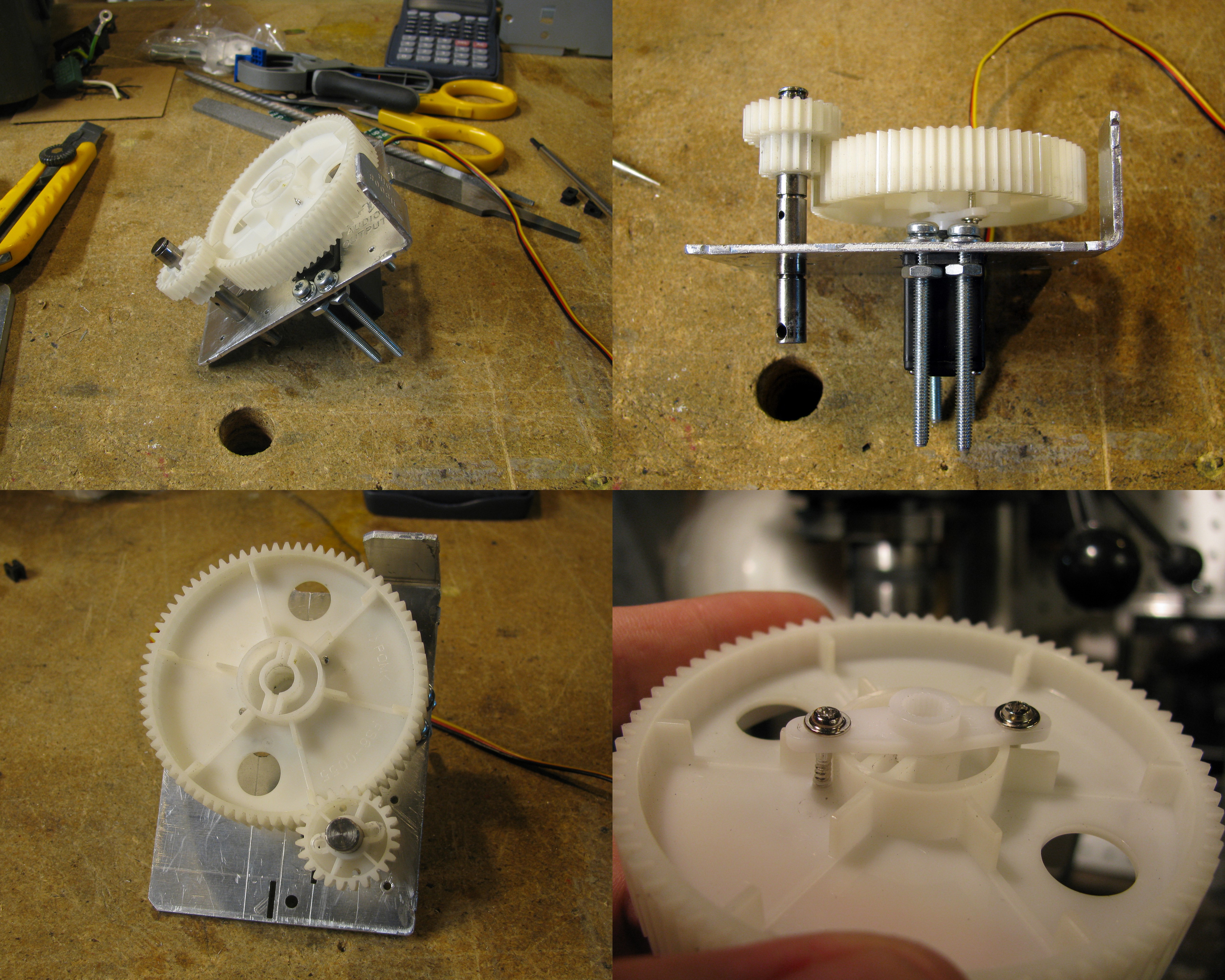
Since, usually, servo motors have a motion range slightly greater than 180 deg, I decided to use gears to be able to produce a motion range large enough to operate the safe (at least two full turns).

Mechanical Parts

Mechanical Parts

I used an old heat sink and cut it with the Dremel in order to produce a bracket for the servo and a mounting hole for the secondary (smallest) gear axle.

I attached the larger gear to the servo directly using the brackets and screws that came bundled with the motor. Also, in order to hold the shaft in place, I used e-style retaining rings and spacers (other dummy gears and shoulder washers) in order to match the grooves already present in the shaft. Of course, I got all these handy mechanical parts from an old photocopier I found in the garbage.

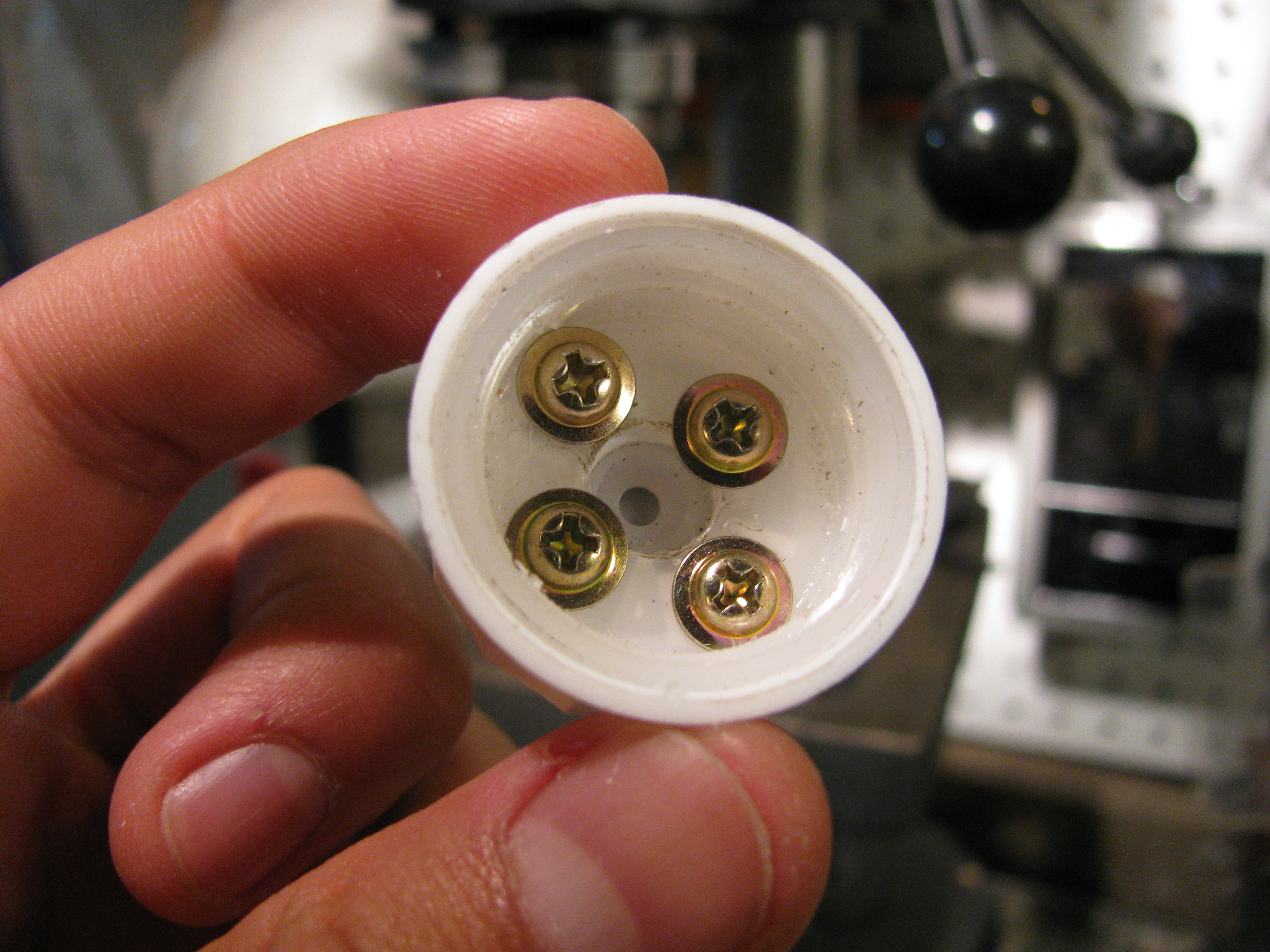
Dial coupling attached to the small gear

Dial coupling attached to the small gear

In order to couple the small gear to the safe dial, I used a bottle cap which fitted perfectly over it. The cap has some child proofing which provided a firm grip for the dial.

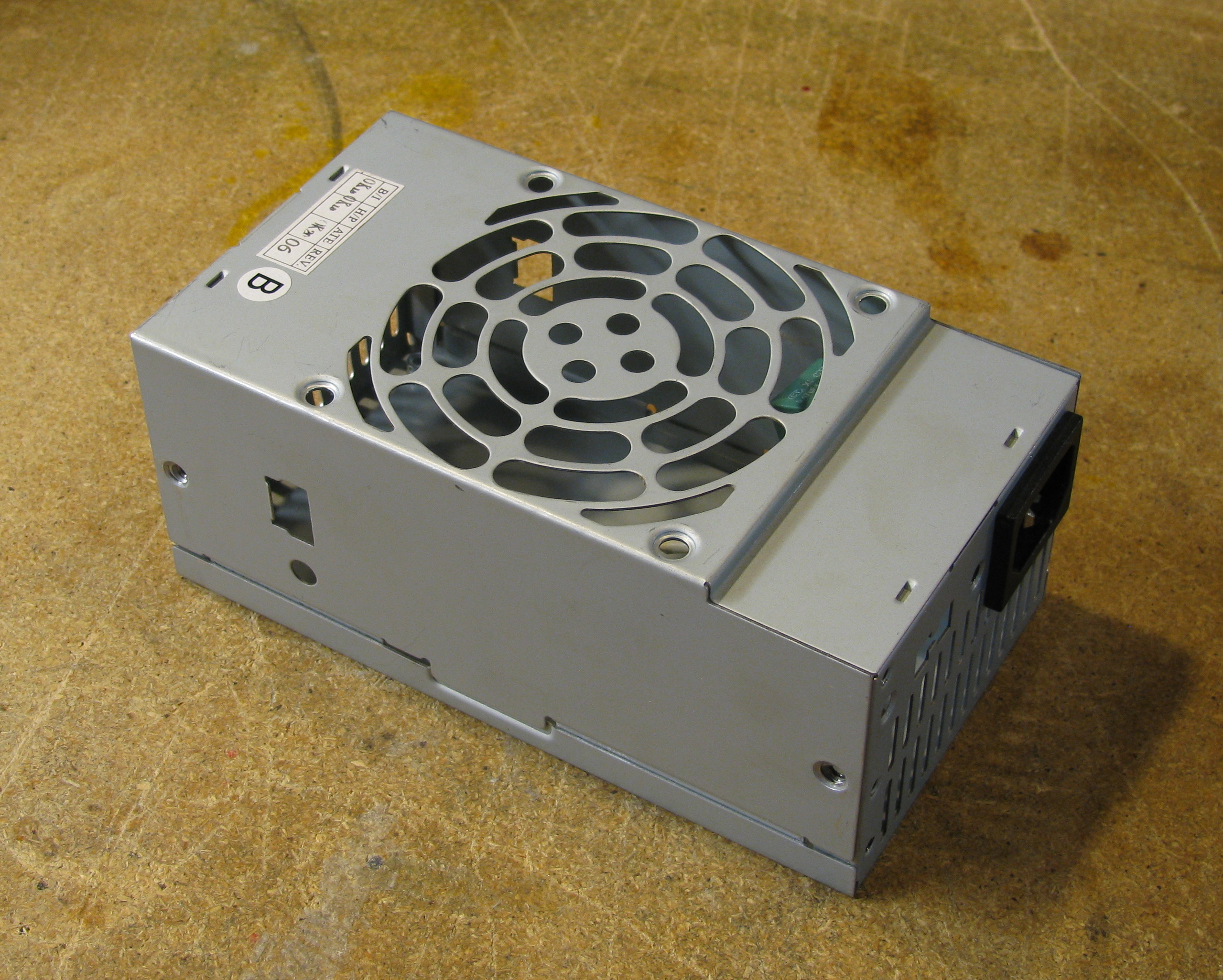
The Project Box

The Project Box

Once the assembly was done, I mounted it into an old power supply box. Although the box required some drilling and cutting, it was very easy to adapt. I would recommend using this type of boxes for other projects since they are sturdy and easy to machine.
Electronic Assembly

Electronic Assembly

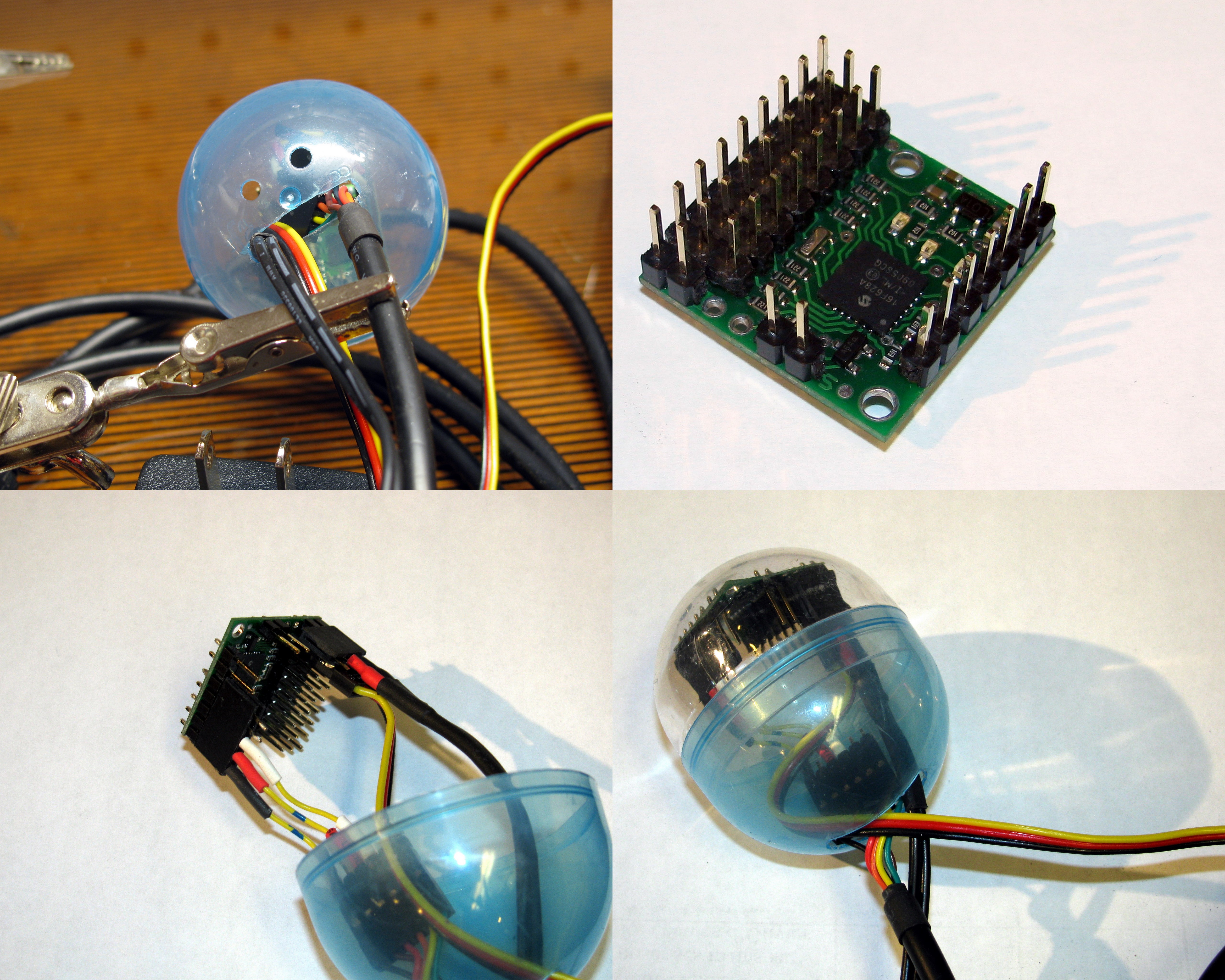
So to include the electronic parts into the box, I used a small plastic capsule (that must come from the time when my young brother liked those little toys they sell in a dispensing machine). In the capsule, I placed the Pololu servo controller, the USB to serial cable and the servo motor cable, and the power supply cable.

I needed to adapt the USB to serial cable in order to match the pin-out on the controller. For this, I used a male and a female header, and some wire. I connected the GND and the V+ pins to their respective counterparts, and the TX pin to the Serial-in pin.

In order to supply the appropriate power, I used an old cellphone charger and I replaced its original connector with a female header. As always, it is good practise to isolate the electrical connections with some heat-shrink tubing.

The (disappointing) outcome

Very gentle safe cracker

Very gentle safe cracker

Once everything was done, I fixed the new little machine to the safe and got ready to get it trying codes. I used a coat hanger and some rare earth magnets in order to hold the cracker firmly in place.

To my great disappointment, I realized that the gears I used provoked a (much expected) torque reduction. This meant that the system is not strong enough for turning the dial to a set position reliably. No matter how much lubricant I used, the dial was too stiff for the little robot.

This represents a (temporary) victory for the safe, but the war is far from being over.

Epilogue

I decided to publish these results in spite of my failure since too often we read reports of success (notably in science) and often forget that we can learn from failures as well. Never do we read about scientits proving their original hypothesis wrong, but very often, documenting those mistakes could prevent others from doing the same.

Finally, for those wondering how I was planning to pull on the safe lids so it opens, it is remarkably simple: since the safe does not have any handle to latch it closed, I merely need to hang it from its handle and try the codes until it opens and the bottom part goes down.
The safe hanging unaware of its fate

The safe hanging unaware of its fate

Finally (this time for real), I cannot say too much about my next plans on attacking the safe, but be sure that they involve a stepper motor.

Acknowledgements:

RobotShop.com

RobotShop.com

I would like to thank the great people at RobotShop for providing the Pololu Micro Serial Servo Controller and the Hitec HS-425BB Servo Motor. As I mentioned before, they will be sponsoring a set of projects here at Carlitos’ Contraptions in the foreseeable future.

They were also kind enough to quickly ship a replacement gear set when I ruined the original one on the servo motor by hand forcing it to turn (I know, I sound brilliant).

Project, Robotics
Pololu Python Library

July 16th, 2009
Pololu Micro Serial Servo Controller

Pololu Micro Serial Servo Controller

I started writing a library for controlling the Pololu motor controllers with a computer trough a serial port.

I’m writing this in Python so the code can be cross-platform but I would be very glad to have some feedback about running it on other OSs than Linux. Actually, any feedback would be very welcome.

As of now it can interface with the Pololu Micro Serial Servo Controller that I got form RobotShop. I am planning to use this code in my upcoming project RobotShop is sponsoring. I will supplement this library as I get newer hardware to work with.

I know there is already a python interface for it but I really wanted to have an object oriented way of managing motors (i.e. they can be instantiated and controlled more easily).

You can download the library here: lib_pololu.py (you will need to change the extension of the file to .py instead of txt).

In order to properly use this library you will require:

  1. Python
  2. Pyserial

If you use a civilized OS you may be able to get all this by typing this in a command prompt:

sudo apt-get install idle python-serial

Here is a sample script that will use the library in order to control a servo: servo_example.py (you will need to change the extension of the file to .py instead of txt).

Download
# Adding the path to the lib_pololu.py file to your modules path.
# Assuming that the file is at your/path/to/the/library/lib_pololu.py
import sys
sys.path.append(‘/your/path/to/the/library’)

#Import the lib_pololu module
import lib_pololu

#Import the serial communication module that should already be installed
import serial

#Open serial port
port = serial.Serial(‘/dev/ttyUSB0′)
port.baudrate=2400 #set an appropriate baudrate

#Create a motor assuming that the motor is connected to the connector
#number 0 on the controller. The two numbers (1150 and 4650) are
#the calibration values corresponding to the 0 ans 180 deg positions
#respectively. These are the numbers that should be sent to the servos
#using command 4 with the methos send_command() in lib_pololu
motor = lib_pololu.Servo(port, 0, 1150, 4650)

#Playing around with the motor
motor.set_pos(45) #sets the posotion of the motors in degerees.
motor.set_speed(100) #sets the speed at a value between 0 and 127
 

Note for Redmond OS (aka Window$) users: you will need the Win32 Python extension for pyserial to work.

Project, Robotics, Software

Making Panoramas

May 9th, 2009

In my trip to San Francisco, I had the chance to see many beautiful things. And I wanted to be able to remember them and show them to my friends and family.

San Francisco Seen Form Twin Peaks Park

San Francisco Seen Form Twin Peaks Park

Besides taking simple photos, sometimes you need a wider view- angle to really capture the scenery. The obvious solution to this is making a panorama. This means you take many pictures of different sections of your subject and then align them and stitch them together so to form a bigger picture.

Many people believe this is a very difficult procedure and that the results are never as good as expected, and they are partially correct. In order to get a nice looking panoramic picture hat will align and stitch together correctly you need to follow some rules:

  • Make sure that contiguous pictures have a good 30% overlap between them.
  • Make sure the overlapping areas contains some hard object, like a building. If they overlap only over the sky or some water, then the stitching together will be more difficult.
  • Make sure you follow a simple pattern when shooting the photos. Follow a horizontal line, for instance, and shoot the pictures in order. Also, if your making a taller panorama, I suggest you shoot many horizontal lines that will stack up together. This will make things easier when recognizing which photos to stitch together.
  • Make sure all the pictures have a similar exposure. This should be no problem if you are shooting your pictures all at once.
  • Make sure your subject is always on the same focal plane. You can have many focal panes but it will make the stitching more difficult.

Once you have shot all the pictures you can start the stitching. In order to so so, you can use an excellent software package called Hugin. Of course since I’m using it, Hugin is open source and (thus) cross-platform. Is is a very intuitive program to use and since there are many good tutorials about it, I won’t be outlining the instructions on how to use it.

Once you stitched your images together (which can be done in the three steps the wizards takes you trough) you will end up with a big TIFF or JPG file. Now you are basically done. Now you just need to crop it and made any desired adjustments with a picture editing program lie Gimp.

The only problem is that if you want to share this picture it can be hard since it may be too big for sending by email and will take a long time to (upload and) download if you put it on a website.

Now you can use the Google Maps Image Cutter. This little Java program developed by UCL enables you to use the Google Maps engine as a picture viewing system. It creates many copies of your image at various resolutions and chops those images into small square pieces. Then when you view the image trough the google maps engine, you are only loading the small squares at which you are currently looking at the resolution corresponding to your zoom level.

Here you can enjoy a few examples I made (click on the title to view them in full screen).

Title: Downtown San Francisco
Description: A panorama shot from the Twin Peaks Park.
Title: Downtown and East San Francisco
Description: A larger panorama shot from the Twin Peaks Park.
Title: South San Francisco
Description: Another panorama shot from the Twin Peaks Park.

Keep in mind that Hugin is very powerful and can do much more than simply stitching a few images together. Also, there might be a few issues with the file writing routine when trying to run the Google Maps Image Cutter in Linux.

Info, Project, Software, Work in progress

Hacking in San Francisco

April 17th, 2009
Hacking in SF

Hacking in SF

I had the chance to spend a week in San Francisco a month ago (which, by the way, is a beautiful city).

For some reason , everywhere I go, I end up having to repair, re-purpose, or build something. In this case, my Eee PC’s charger broke and I had to fix it.

Flashback

I lost my original charger some time ago and I had to buy a new one. Since it was an urgent need, I resorted to buy a cheap one that I could get fast and order the official one (which was much more expensive) just to make sure I would not have the problem of being without a charger again. Both the cheap and the official one performed similarly and I did not feel the need to use the official one too much (so it could be better preserved).

Back to the present

When I packed up for the trip, I took the cheap charger and left the official one at home. That was a big, big , stupid mistake.

When I got to the Montreal airport and was waiting to board the plane, I decided to write something for this blog and I came to the sad realization that my charger was not working. Fortunately, the Eee PC has a very long battery life and I manage preserve the energy for a few days.

Modified Charger

Modified Charger

In San Francisco, I got a 12 Vdc , 3A (the required rating) charger at a stolen goods surplus store. With my trusty Swiss Army knife (the only tool I had) I changed the power connector and taped it with some electrical tape I got at a Dollar store.

Parallel to that, my good friend Guillaume, who was hosting me at his house, had a broken toy horse. So we decided to repair it so it could be functional and rideable again. The horse also had a broken electronic part that was supposed to emulate the galloping noise.

Using some left over wire from my broken charger and some tape we were able to make the electronic part work again. The mechanical part was also easily repaired by replacing the rotten wooden rods with some new ones.

Horse Circuit

Horse Circuit

In the end, I was glad to be building and tinkering in San Francisco.

I also got the amazing chance of visiting Noise Bridge, a very nice hackerspace with lots of cool toys and great people.

If you are interested, my gallery is filled with more than 1000 pictures from San Francisco.

Toy horse back in action.

Toy horse back in action.

Project