Posts Tagged ‘Software’

STM Bug Report

Ever since the implementation of the new Opus Card system by the Montreal’s Public Transportation (STM), there have been lots of malfunctions and bugs.
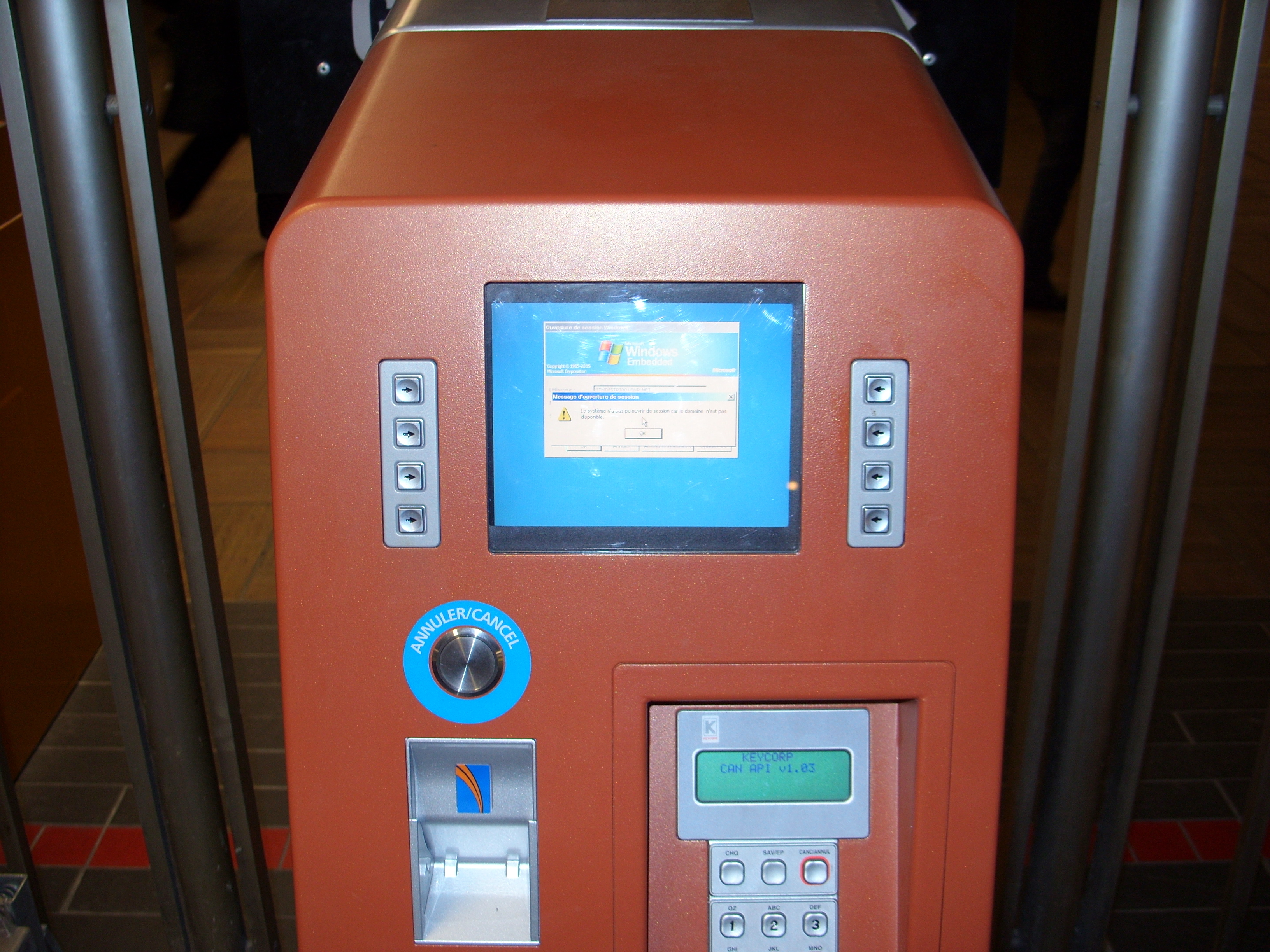
Crashed STM Ticket Vending Machine

Crashed STM Ticket Vending Machine

The malfunctions were mainly caused by the poor build quality of the smartcards, the poor wireless reader range, the easy demagnetization of the paper tickets, etc. Slowly (very slowly) these malfunctions are being addressed and (sometimes) solved. The unsolved bugs become a part of the daily routine and we Montrealers learn to accept them.

On last weekend, I witnessed a bug that I would have never thought possible in a professional widespread software application that involves so many money transactions: what I usually call a boundary condition bug.

The Bug

Quick note on the STM’s fares (for those who do not live it day-to-day):
There are mainly two transportation systems: the bus and the metro (subway) and the fare pricing is governed by a (somewhat) simple set of rules:

  • There are monthly passes that allow unlimited fares within the month in both the metro and the bus. They are more expensive for adults than for students or elders.
  • There are weekly cards that are similar to the monthly cards by work for a given week.
  • There are tickets (either as a magnetic paper card or as some information on a smartcard) which allow for one fare that allow to take the metro, the bus, or both within a two-hour time limit. Should the time period be elapsed, or should you take the metro or the same bus more than once, you will need another ticket.

Since the Opus Card implementation, one of the first things that came into my mind was the attention required to compute the fare price when a month ends (i.e. at 12:00 on the 31th, 30th, 29th, or 28th), or when a week or a day ends. Everyone who has programed at least a little bit (like me) knows that these boundary conditions are usually exceptions to the normal behaviour of a program and need to be taken into account. I, of course, assumed that such mundane exceptions would be addressed by professional programmers swiftly and painlessly. I was wrong.

On last Saturday, my girlfriend and I took the metro after going to the movies and she swept her card (loaded with tickets) at exactly midnight (00:00 as reported by the STM records) at the metro reader. Around 20 minutes later, we walked into a bus and surprise! another ticket was charged instead of using a transfer from the previous ticket.

The conclusion to this is that when a day ends, there STM fare algorithm fails and defaults to charge you an extra ticket. Unfortunately, It is unlikely that this bug is noticed by the STM any time soon since they are not loosing any profit from it and they do not accept bug reports. Even the lady at the reclamations booth had a hard time to understand what the problem was.
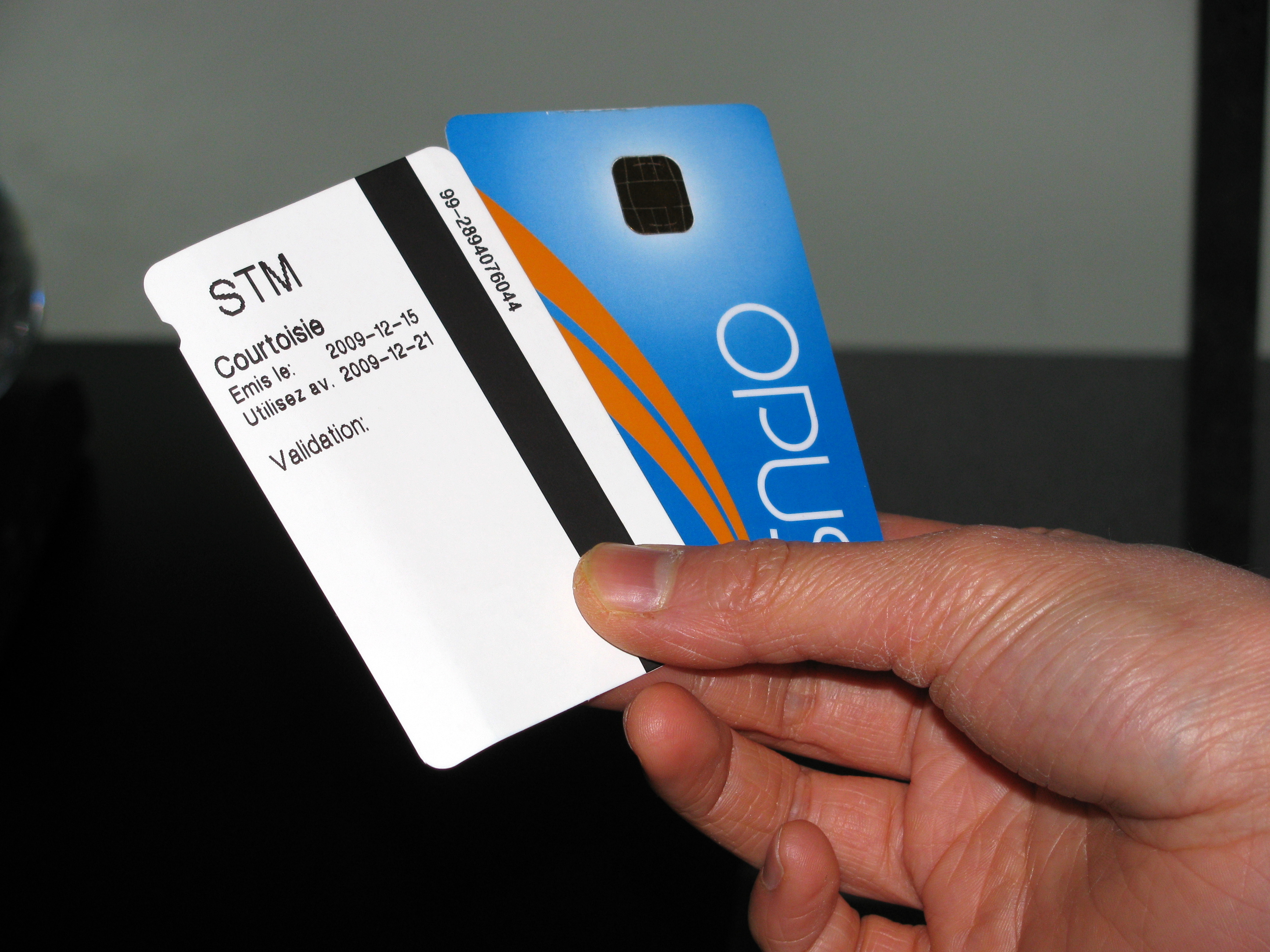
Opus Card FailIn the end, instead of a full refund she got a “courtoisie” ticket which expires on next Sunday (instead of a regular ticket that which expires in around two years). So much for costumer service.

The poor programming quality is also reflected by the poor choice of OS for their vending machines. Let’s just say that using Windows Embedded is the equivalent to eating a faulty grenade: it will rather sooner than later get ugly.

Montreal Hackers Wave

Google Wave

Google Wave

I finally got a Google Wave account and I decided to do something for the community. More precisely, the hacker/tinkerer/DIY community.

I think it would be rather interesting to have a place where to share, showcase and discuss projects and hacks with local people (from Montreal).

If you want to join the wave you can find it here.

I hope this will result in a stronger more connected Montreal Hacker community.

Cheers, and see you on the wave!

I have a few Wave invites left so if any geeky Montrealer would like one, please leave a comment and I’ll see what I can do.

Carlitos 1, Xilinx 0

Xilinx Spartan

Xilinx Spartan

I spent countless hours trying to install the free version of the Xilinx software on may windoze Virtual machine and I have finally succeed.

I must say that although I have never used Xilinx ISE Webpack, I already hate it. It come in a huge installation archive (2.7 GB) and an equally huge update archive (2.4 GB). The option to use the “slim” installer (88 MB) is worthless since there is no ways of saving the required files for an eventual reinstallation (which was needed twice in my case).

Anyway, after installing/uninstalling/installing many times I finally got it to work. And this very lengthy and painful process reminded me why the Open Source world is so much more convenient. Installing a full linux distribution with tons of extra programs takes half the required storage and a third of the time. Too bad FPGA programming tools are ruled by the chip manufacturers.

All this painful process was required in order to get my new NanoBoard 3000 running. Hopefully I wont have to use Xilinx ISE anytime soon. Altium Designer was much easier to install and requires less storage.

Tiny Firefox

I know this has been said before, but I cannot find it, so here it goes again.

Ever since I got my EeePC, I got obsessed by the amount of screen real-state Firefox takes for the top menu, browsing control buttons, address and search bar, etc.

The quickest fix I always apply every time I am in front of a Firefox windows that is not mine is to move the Bookmarks toolbar content right next to the File menu and to disable the Bookmarks toolbar. This removes one full toolbar, and unless you have a really heavily populated Bookmarks toolbar, should function very well.

But I wanted to go further (especially since I saw that Chrome uses less screen real-state). So I installed a few add-ons that make a significant difference:

  • AHS. autoHideStatusbar does precisely that. It hides the status bar unless it is required (i.e. a page is loading or you hover a link) or you go near it with the mouse pointer.
  • Smart Stop/Reload. It combines the Stop and Reload buttons (since they are never used at he same time).
  • Tiny Menu. It transforms the File menu into a single item. This extension saves a lot of real-state and the menu remains nice ans usable.

By using these extensions and moving things around in the toolbars, you can achieve a very tiny navigation interface that is perfectly usable.

Tiny Firefox

Note the Tux theme (I a’m using Personas)

Kubuntu Karmic Koala is out!

Kubuntu Karmic Koala

Kubuntu Karmic Koala

Kubuntu Karmic Koala is finally out! I use it since the Release Candidate came Oct. 22 nd, and it is absolutely awesomely mind-blowingly fabulous. All of the kinks in Jaunty have been fixed and a lot of new features have been added.

Kubuntu?

Why am I talking about Kubuntu and not about its more popular sibling Ubuntu? Well, very simply because KDE kicks Gnome’s ass any day (while blindfolded and with all of its finger stuck in its nose). I know that seems like a very bold and unjustified statement, well it is indeed very bold but totally justified.

The main difference about KDE and Gnome, besides the fact that the KDE foundation is much more solid, flexible and portable, is the mindset. In KDE you can configure (trough a nice GUI) pretty much everything, whereas in Gnome, you get a bunch of very comfortable defaults that (although they can be modified) are not intended to be fiddled with too much.

Also, KDE is much more than a desktop environment and provides a full suite of programs that do almost everything you could want to do. These programs also integrate very well together and provide as many more features and options than any sane person would need or be able to use (but who likes sane people anyway?).

Quick Review

My Desktops (Grid View)

My Desktops (Grid View)

I am currently using the 64-bit version of Kubuntu and it is performing incredibly well. The system (my laptop) boots in around 40 seconds and turns off in less than 15 seconds. The graphical performance is flawless and I can benefit from smooth performance even when doing very processor intensive tasks (such as stitching photos together).

Also, It comes with Ubutu One (a remote storage service) which is pretty convenient for sharing and backing up files.

I’ll try to do a screencast and post it in order to show off the Koala.

Return top

Welcome!

Here you will find my DIY projects, Robotic hacks, Nao 1337 videos, and more! Have questions about a project? Leave a comment!